Automatic liftups
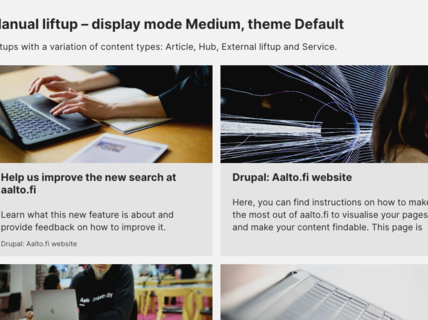
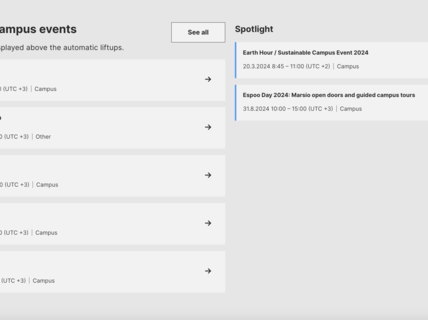
Automatic liftups are useful when you want your liftup to update regularly and automatically. As opposed to manual liftups, which require editors to add content manually, automatic liftups display content based on metadata. The content of the liftups is determined by selecting keywords and other metadata, that will define which pages are displayed.
There are four different automatic liftup components available on aalto.fi:
- Automatic event liftups
- Automatic news liftups
- Automatic article liftups
- Automatic liftups with featured content (see separate instruction page for the component here)
On this page, you will find instructions for using automatic liftups and for selecting metadata so that the right content will be lifted up.
Instructions for creating an automatic liftup component
- Select the type of liftup: You can create automatic liftups to showcase news, events or article pages. Note that the content types cannot be mixed in the same automatic liftup.
- Create the component by filling in the following fields:
- Content liftups title: Add an optional title that will be shown above the content liftups.
- Content liftups description: Add an optional description text that will be shown between the title and the content liftups.
- Category (for news and event liftups): Select which categories the liftups should be filtered based on. The field is only available in automatic news and event liftups.
- Tags: Select which tags the liftups should be filtered based on.
- Exclude content with these tags: If you want to exclude content tagged with specific tags, select those tags.
- Content home (for article liftups): Select which content homes the liftups should be filtered based on. The field is only available in automatic article liftups.
- Relates to: Select which ‘Relates to’ options the liftups should be filtered based on.
- Content visibility: Choose if you want the liftup to display all page types (including Aalto community pages and public pages), only pages Aalto community, or only public pages.
- Role restrictions: Set the component to be public for everyone or visible only to the Aalto community.
- Student Guide content: Choose if you want to include all content regardless of its Student Guide status, Student Guide content only or pages that do NOT belong to the Student Guide only.
Instructions for selecting the right metadata to an automatic liftup component
All automatic liftups use the same logic to filter content: a page will be included in a liftup if each of its metadata fields contains at least one keyword that matches a keyword in each of the metadata fields of the liftup.
When you create a page, the metadata fields are similar to basic data about a car, such as brand and colour. We will use this as an example for the logic behind automatic liftups.
If you want to buy a used car, you might have specific requirements, such as the year of manufacturing, brand and mileage. The more search terms you input in the search field, the fewer cars will show up in the feed, but you will also get more accurate matches. Depending on how specific your needs are, you will input fewer or more criteria.
The same goes for an automatic liftup feed. If you are creating a general feed for a school’s main page, for example, you might leave fields blank to include all possible search terms. But if you want a more topic-specific feed, we should include at least one keyword from any metadata field on that page. The more fields we fill out with at least one keyword similar to that page, the narrower is our result. On the other hand, more keywords per field widens the result again. Make sure to check if you are pleased with the type and amount of pages that shows once you have created the liftup.

As an example, we look at the metadata of a news story about Jenni Haukio’s Independence Day gown, shown in the image. The news article has six tags, two news categories and relates to six different hubs.

To create a topic-specific feed with news similar to the Jenni Haukio story, we can input the metadata shown in the image to the automatic liftup.
This automatic liftup will display the Jenni Haukio story because the news story and the liftup have at least one same tag ('materials and natural resources', 'design' and 'textiles'), at least one same category ('press releases') and are related to at least one same hub ('News' and 'Department of Design').
Example automatic news liftup
Here is an example of an automatic news liftup. This component lifts up all news pages (Public and Aalto Community) whose tagging is complementary to that of the image above.

Music industry stakeholders: the industry’s value will double by 2040 through large-scale equality initiatives
The industry aims to establish a self-regulatory body and double the value of the music industry, as outlined in the report “An Equal Music Industry in Finland by 2040”.
AI that mirrors how humans behave can drive better designs for keyboards and charts
The human-like performance of these AI models is also transparent, paving the way for explainable AI and better human-computer interaction.
Researchers develop first carbon-negative binder material - Significant impact on emissions from infra building
Researchers have developed a binder material that can replace carbon-intensive cement
The butterfly effect – bending and turning artificial muscles with light
In the future, the innovation could be used in for example the development of smart textiles, soft robotics and medicine.
General tips for automatic liftups
- Automatic liftups filter content based on metadata.
- Filling in one metadata field with one keyword (e.g. tag 'sustainability') displays all content with that tag.
- Filling in one metadata field with multiple keywords (e.g. tags 'sustainability' and 'machine learning') displays content that contains at least one of those keywords.
- Filling in multiple metadata fields (e.g. tags and category), displays content matching at least one keyword in each metadata field used in the liftup.
- As automatic liftups only display the four newest articles/news/events, the 'See all' button links to the rest of the filtered content. However, the 'See all' button can be changed to redirect readers to any other page.
- Some content in aalto.fi is available for internal users only. Whenever you create a new liftup, make sure that the liftup visibility settings and role restrictions are complementary with the content you wish to display.
- If you wish to create an automatic liftup with a tag that does not exist at the moment, you will need to submit a request through any page that has tags or by contacting communications@aalto.fi.