






Mobile printing
Mobile printing is available for students and staff members at Aalto University with a valid Aalto email ID.
Link to the printing portal: https://printportal.aalto.fi/RicohmyPrint/
For printing instructions and more information, please visit https://www.uniprint.fi/en/
On the Uniprint pages, you can also find the locations of Aalto University's printers and multifunction devices at Printing locations | Uniprint.fi
1. Log in to the printing portal with your Aalto University email address. As you are on the Aalto network or use the VPN remote connection, you need write the email address.
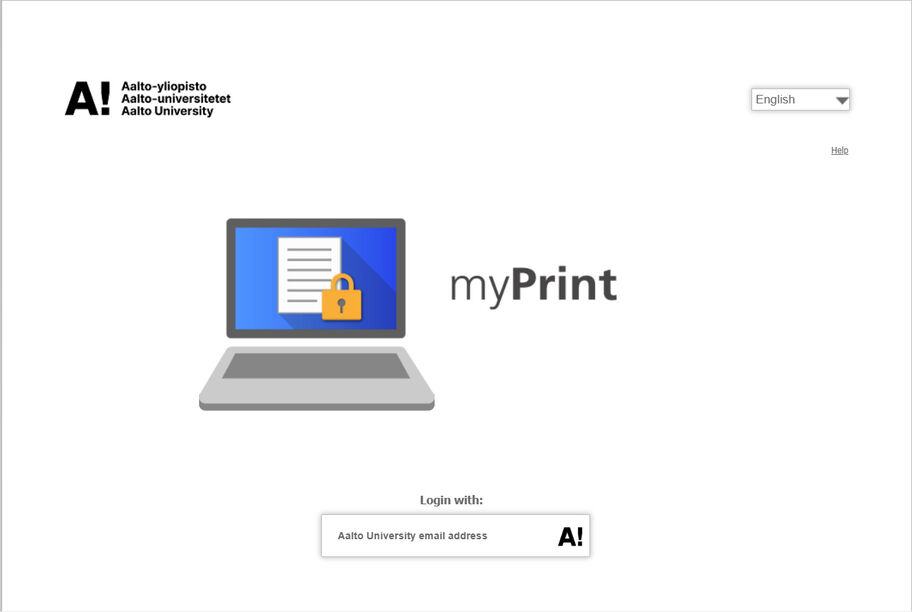
2. Click Browse to select your file. Upload the file to the myPrint printing portal.
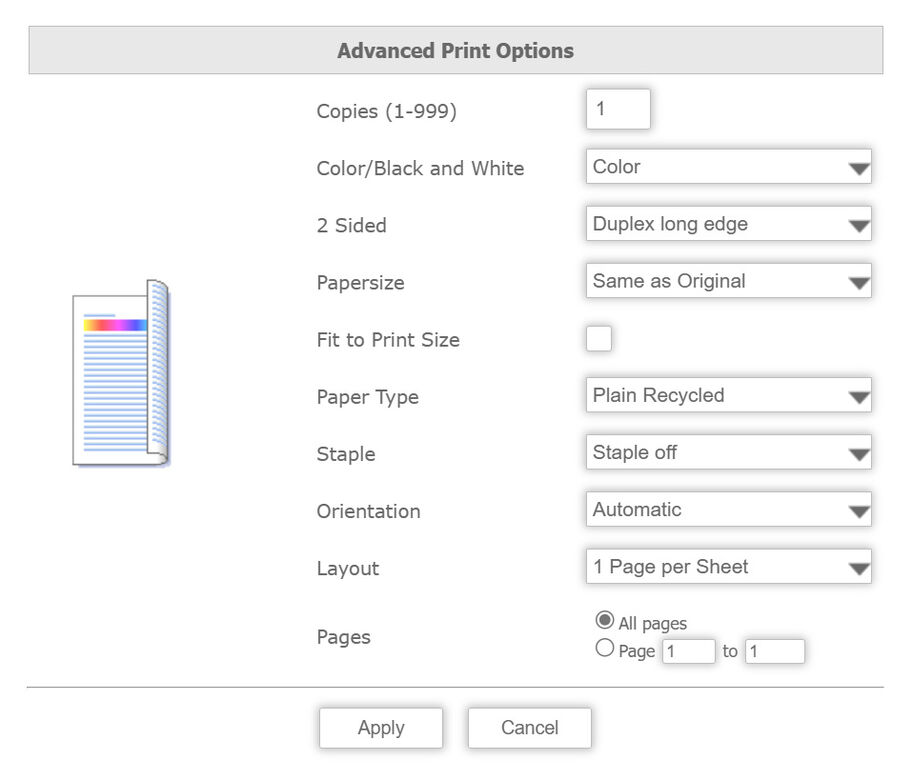
3. Define and check the settings through the Advanced options. See below for detailed instructions on advanced settings.
4. Click Print to print the file to your print queue.
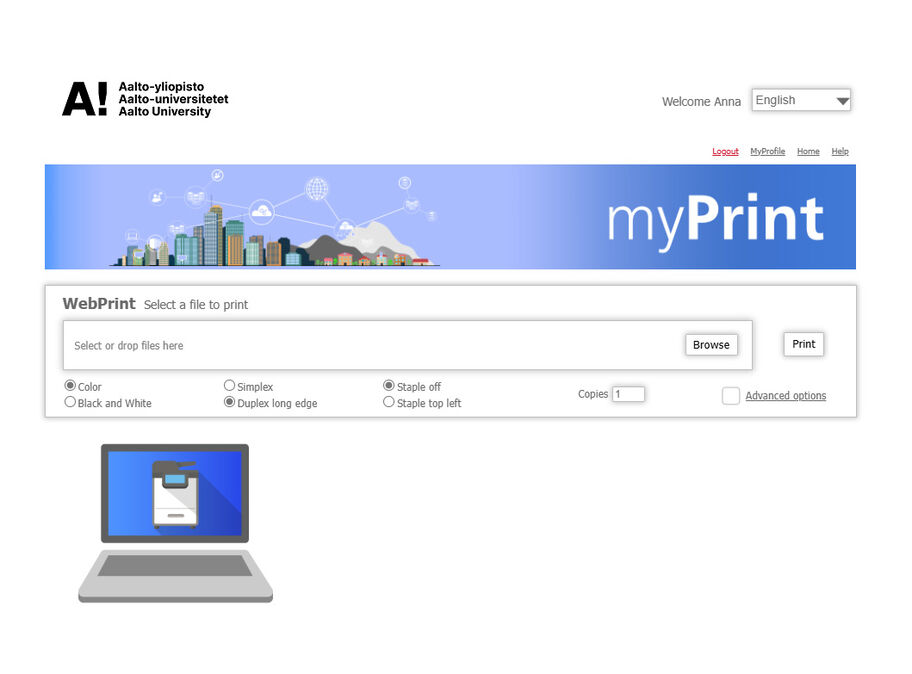
In the advanced options, you can select:
Click Apply to select your settings.
Mobile printing is available for students and staff members at Aalto University with a valid Aalto email ID.
Read about printing at Aalto University

Contact IT End User Support for help or information on Aalto University IT. You can visit the service desk during opening hours or ask for help by email, telephone or chat.