






Downloading the Google Drive application (Windows, Mac and Linux)
Windows
1. Download the Google Drive application to a Windows workstation of Aalto University from Selfservice Portal. Select Google Drive File Stream Aalto.
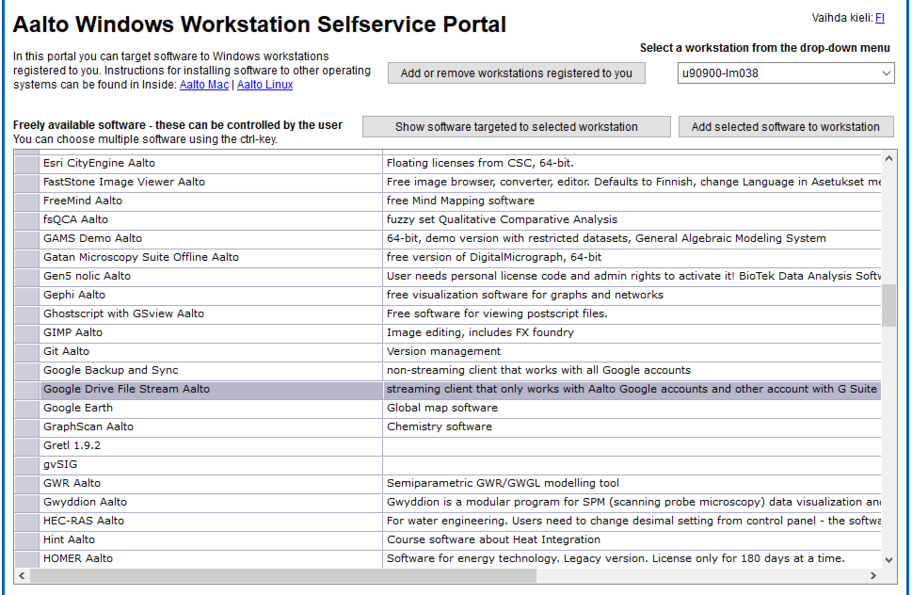
2. Add the selected application to the workstation.

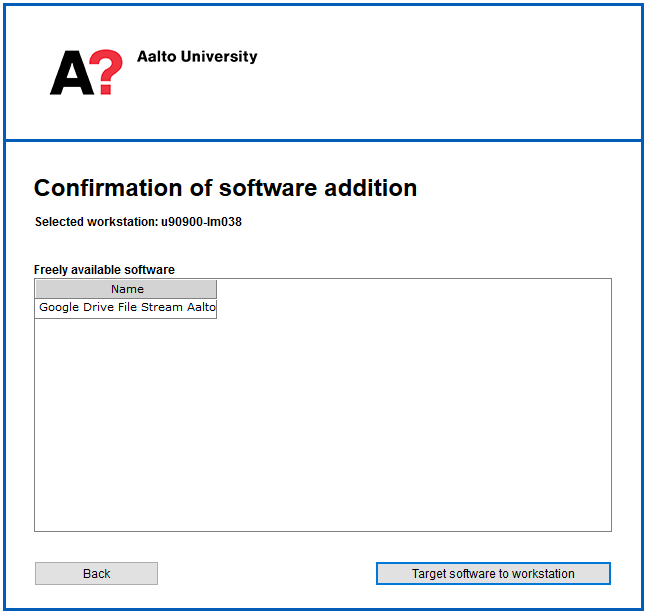
3. Confirm the selection of the application.
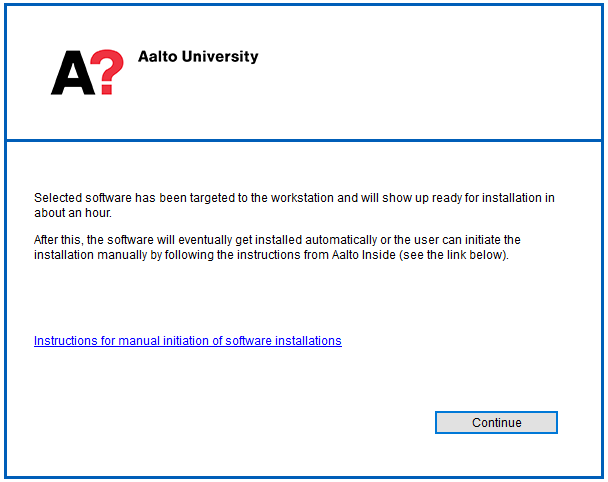
4. The selected application will arrive within approx. one hour.
Mac
A primary user or administrator of an Aalto Mac computer (OS X 10.10 and later) can install the Google Drive application by means of the Managed Software Center application. The Google Drive application can be installed on public workstations or older versions of the operating system by contacting the service desk at servicedesk@aalto.fi
Linux and personal computers
Download Google Drive for Linux and personal computers: https://tools.google.com/dlpage/drive
You can download the Google Drive application to a personal computer from the link above. Since this is an online service, you need a network connection to use Google Drive (LAN, WLAN, mobile data).
Since there is no stable client application for Linux, you can use the browser option on a Linux computer.