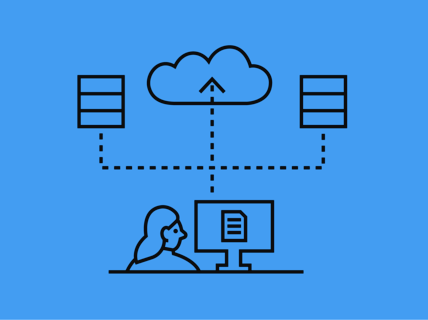
Aalto storage management for staff
Effective management of data throughout its lifecycle is crucial for optimising storage, ensuring security, and maximising your own and your organization's ability to leverage data. At Aalto, use group specific MS Teams or Work/Teamwork network drive.
- Plan beforehand with your unit and team: Consider possible agreements, work continuity and estimate beforehand how much and where you generate or collect data. Check and update TOS guidelines, if needed.
- Ensure access and confidentiality: Define group ownership and permissions. Ask help from IT for access management on network drives, if needed. Consider the onboarding to data, data sharing and agreements beforehand.
- Maintain and clean up: Ensure an efficient lifecycle by folder naming and removing unnecessary data. Delete data when you have promised and when no longer needed. Consider what data needs to be kept for the group and others.
- Preserve and leverage: Archive for long-term availability and reusability. Consider if bit-level preservation is enough or if your data needs to be preserved in SAHA. Check TOS and contact Aalto archive for instructions, if needed.
- Retain statutory documents (e.g., accounting records) for the legally required period in appropriate storage locations.
Read more: How to preserve data in storage spaces | Aalto University - Archiving in SAHA System or Network Drive
- Archiving is conducted in SAHA system or the network drive according to the guidelines defined in the File Management Plan (TOS). Usage instructions for the SAHA system can be found at: Electronic Document Management SAHA.
- TOS defines how file management and archiving should be conducted, including the duration of file retention and practices.
- Retain statutory documents (e.g., accounting records) for the legally required period in appropriate storage locations.
File management
Aalto University staff can store their files both in cloud services and on network drives. All storage options can be found here: Data Storage, File Services | Aalto University
Cloud services - active storing
Microsoft’s cloud services are Aalto University’s primary cloud offering:
- Microsoft OneDrive – for storing and sharing personal work data e.g. drafts (quota limited)
(You can now apply for more storage page for OneDrive | Aalto University) - Microsoft Teams / Sharepoint – for team, unit, project, and meeting work
Read more on differences: https://www.aalto.fi/en/services/basic-data-storage-instructions#8-faq---understanding-the-differences
Network drive - large data and preservation
- Aalto Home – for storing personal work files, e.g., more sensitive material
- Work – network drive by cost centers, e.g., for storing statutory material (if not in the archive)
- Teamwork - network drive for large data and groups
Access management on group network drives
- Agree owners: usually a long-term member of the team/unit who creates the group folder or requests its creation. Owner:
- defines the usage rules and information management procedures,
- decides on access rights (groups, permission levels) and manages adding/removing members,
- appoints a deputy and notifies IT Services of any change of owner so records can be updated
- is responsible for regular reviews of access and data housekeeping (e.g., semi-annually).
- If owner and deputy owner leaves Aalto, the responsibility transfers to the department/unit head.
- Access on shared drives:
- Technically access is always given to groups, not directly to individuals.
- Two permission levels: Read-only (default) or Modify (edit). Request only what you need.
- Keep it simple when planning storage access: special/complex rules (ACLs) are avoided unless truly necessary.
- Automatic groups update with unit/contract changes. If your role changes and you still need access, ask the owner to add you to a manual group.
- If you need access to existing storage, ask written approval from the storage/folder owner and ask e.g. IT Services to grant you rights.
Offboarding
Agree with your supervisor on how to store your relevant data.
- Ensure that all relevant data is archived in a common location at Aalto, while unnecessary data is deleted.
- Start cleaning and, if necessary, moving the data on time. Allow plenty of time for the transfer process to run smoothly. Check more detailed instructions for transferring data: How to transfer data from one storage system to another | Aalto University
More info: https://www.aalto.fi/en/services/when-your-employment-ends-it-guide