






AI for Aalto students
Use AI to support your learning. Choose suitable tools (e.g. Aalto AI Assistant) and check course-specific guidelines.
AI in your studies – quick guide
How to use it
- Practice: ask for exercises, multiple-choice questions and plain-language explanations.
- Thinking: generate ideas and request counterarguments.
- Organisation: create timelines, to-do lists and search strategies.
- Polishing: language editing, summarising and explaining terms.
Remember your responsibility
- Your teacher may limit AI use; follow course instructions.
- Do not submit AI text as your own. Verify content with other sources.
- Language models are not permitted in the maturity test.
- Using AI against the rules may be treated as misconduct.
Copyright and referencing
- Direct use without proper referencing can be plagiarism.
- Record AI use as required by your course and ensure you have the right to use the material.
Data protection
- Do not share confidential data or personal information.
- Anonymise materials, use approved tools (Aalto AI Assistant, Microsoft 365) and check data protection policies.
- Teachers may process student work only in Aalto-approved systems.
Environment
- AI consumes energy. Narrow your prompts, ask for summaries before long outputs, and prefer lighter/older language models when that's sufficient.
Need clarification?
- Ask your course teacher how AI may be used on the course.
Aalto AI Assistant, for students
Tips for Aalto AI Assistant
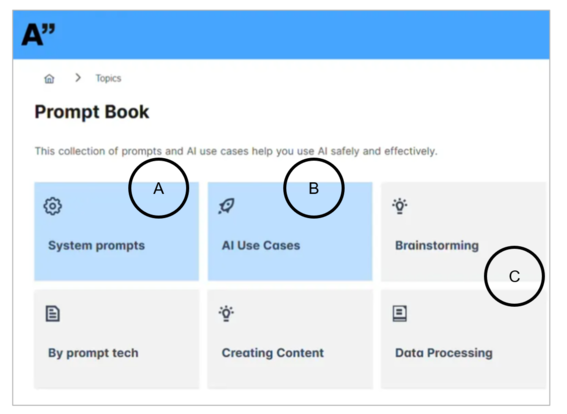

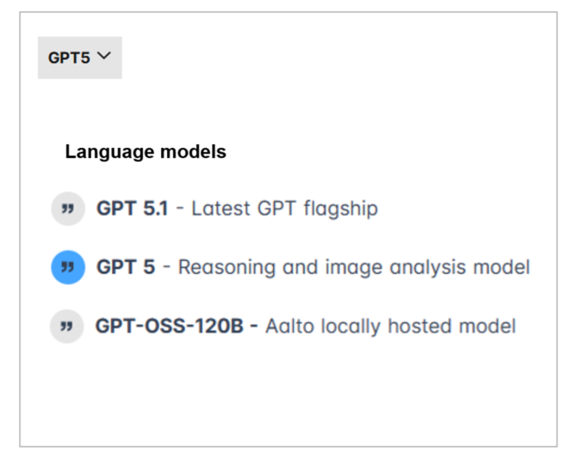

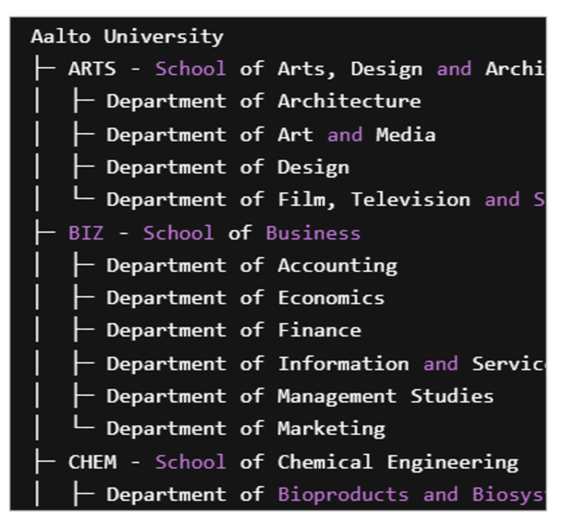
Why to use Aalto AI Assistant
The main reasons are safety and privacy. Both user agreements and digital firewalls protect your data when using the Aalto AI Assistant, compared with services like ChatGPT. The Aalto AI Assistant does not use your data to train language models.
In addition, we can incorporate more of our own data into the assistant. We started with content from Aalto.fi and are moving on to academic sources such as MyCourses.
| Feature | ChatGPT | Aalto AI Assistant |
|---|---|---|
| Protects your data (does not train LLMs) | ❌ | ✅ |
| Reads uploaded files (PDF) | ✅ | ✅ |
| Analyses images, converts to text | ✅ | ✅ |
| Possibility to discuss Aalto's content and data |
❌ Never |
✅ Chat with Aalto.fi (now for staff) Chat with Student Guide (coming up) MyCourses AI Assistant (coming up) |
| The tool can be used by including Aalto's... | ||
| ... public content | ✅ | ✅ |
| ... internal content | ❌ | ✅ |
| ... confidential content | ❌ | ✅ |
| ... secret content | ❌ | ❌ |
The ways of us using AI
Discover how fellow Aalto students are using AI to level up real‑world skills and why mastering AI is fast becoming a core competence for your future career. In these bite‑size videos, they share practical tips and ethical best practices with Aalto’s AI Assistant to help you build confidence and use AI responsibly. Press play and get inspired.




Tips for studying with AI

Translate Office Documents
- Word documents can be translated in their entirety at once.
- PowerPoint presentations can be translated by paragraph or word.
- Get to know Microsoft 365 tools to get started

Let teams join your meetings — Aalto AI assistant takes the notes
- A series of group projects is coming up and no one is taking notes? Tip: Write down a few basics by hand, then a) let Teams or Zoom capture your study group meetings as a transcript. One phone is enough; not everyone needs to join the meeting.
- First, get everyone’s consent and, for example in Teams, enable transcription only. After the meeting - no matter how messy – b) copy the transcription and c) ask the AI Assistant to generate notes from the discussion; you can also provide a brief prompt with key terms to guide it.
Important: Do not share Aalto-internal or confidential conversations with ChatGPT.
AI tools for finding materials
Aalto-Primo
The Learning Centre offers Aalto-Primo AI, which provides summaries of topics based on international research articles. You can find the summarising funcion in the upper left corner of Aalto-Primo.
SCOPUS (Elsevier)
Scopus is a large abstract and citation database. Outside campus network use VPN connection.
AI news

Training available in AI use, research data management, open science + more – register now!
New topics included! Registrations for autumn 2026 are open.
New guidance on the use of AI in thesis work
New guidance on AI in bachelor’s and master’s theses: students must agree AI use in advance with their supervisor and document how it was used.
Aalto ARTS exhibiting AI-inspired designs at Dutch Design Week 2026
Aalto University’s School of Arts, Design and Architecture returns to Dutch Design Week with ‘art-ai-fact’, an exhibition featuring multiple AI-inspired designs.
Web search is now available in Aalto AI Assistant
Web search is now available in Aalto AI Assistant for GPT-5 and Gemini models, enabling it to use up-to-date public web information for questions that depend on recent or external information.AI events

Build Agents for Research
Join us for a hands-on workshop on how to build agents to support your research work.
AI in research work, Oct 22, 2026
Learn about generative artificial intelligence in research work with Data Agents Dr. Enrico Glerean, Dr. Pedro Silva, and Dr. Emrecan Gulay
AI agents unveiled – How AI agents work behind the scenes, Oct 27, 2026
Everything you wanted to know about AI agents and never dared to ask, with RSE Simo Tuomisto.