






AI Spotlight 2/2026: New features and an upcoming translation tool in Aalto AI Assistant
The following improvements were made between May and early August 2026.

You can now change the user interface to show its tools and options in the language you choose.
New layout: More screen space dedicated to text
We maximised the text area based on your suggestions. Please keep them coming in!
Give feedback about Aalto AI Assistant
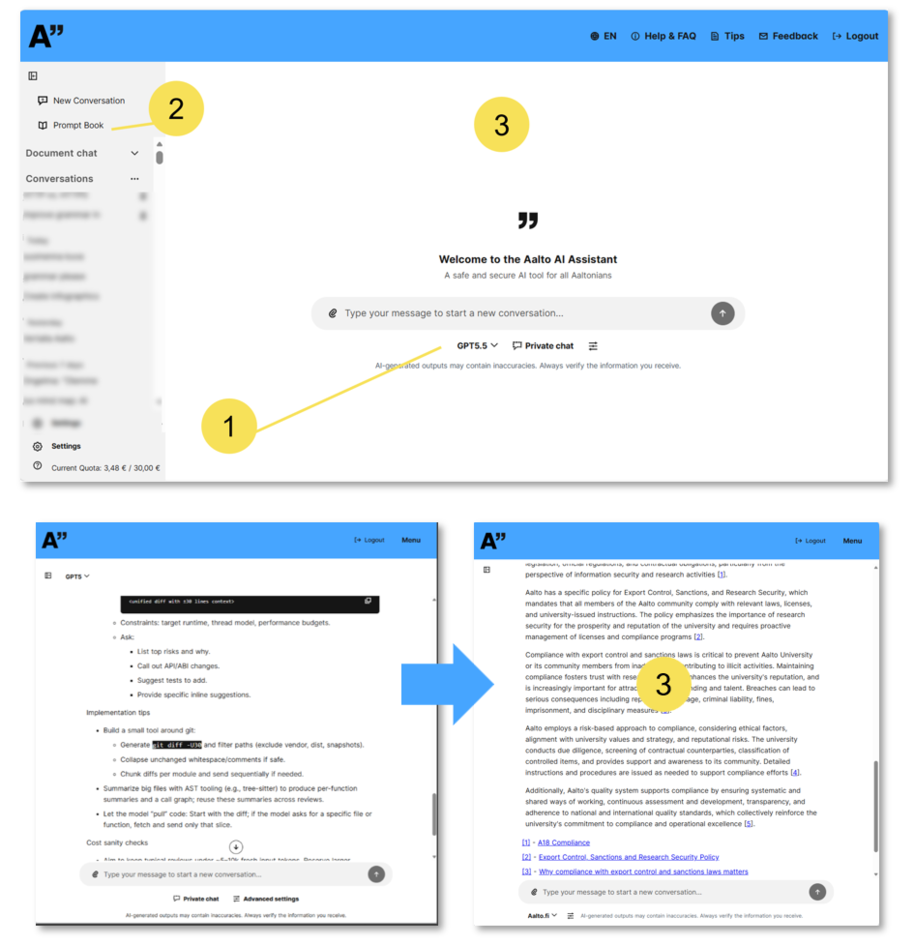
- Language model selection is now closer to the text input.
- New tools will regularly appear in the top left.
- Most importantly: More screen space dedicated to text.
New language models
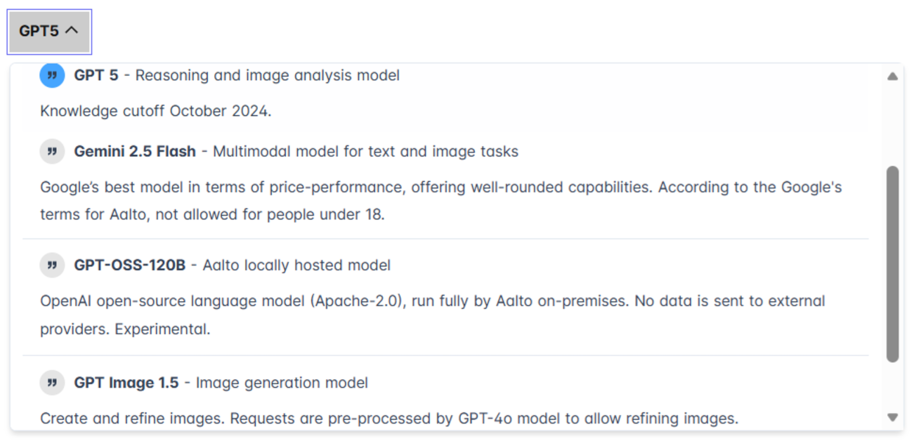
Explore Aalto AI Assistant's new language models: Google Gemini, GPT Image 1.5 andthelatest GPT 5.5.
Google Gemini language models
- An alternative to Microsoft and OpenAI (GPT) models.
- Note: users under 18 are not permitted, under Google’s Aalto terms
- Lighter models, such as Gemini 2.5 Flash, minimise the environmental impact.
- Gemini 3.5 Flash – Google’s strongest Gemini Flash model.
Codes fast and autonomously creates its own workflows towards a goal. - Gemini 3.1 Flash-Lite – Fast turnaround, cost-efficient, multimodal (able to integrate different input types). The best price for fast, high-volume tasks.
- Gemini 2.5 Pro – Advanced multimodality for complex text and image tasks.
Advanced Gemini model for complex reasoning tasks. - Gemini 2.5 Flash – Multimodal model for text and image tasks.
Google’s best model in terms of price-performance, offering well-rounded capabilities.
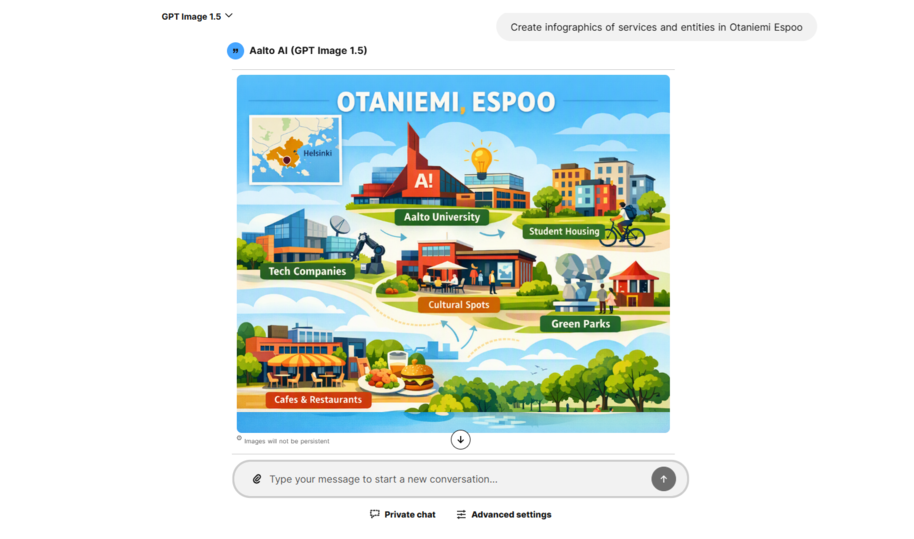
GPT Images 1.5 – replacing DALL-E
- Create and refine images. Requests are pre-processed by GPT-4o model to allow image refining.
- Our previous DALL-E image generation model was quite modest and underperforming. OpenAI discontinued it, launching GPT Images 2.0 for public users and GPT Images 1.5 for enterprise users like Aalto.
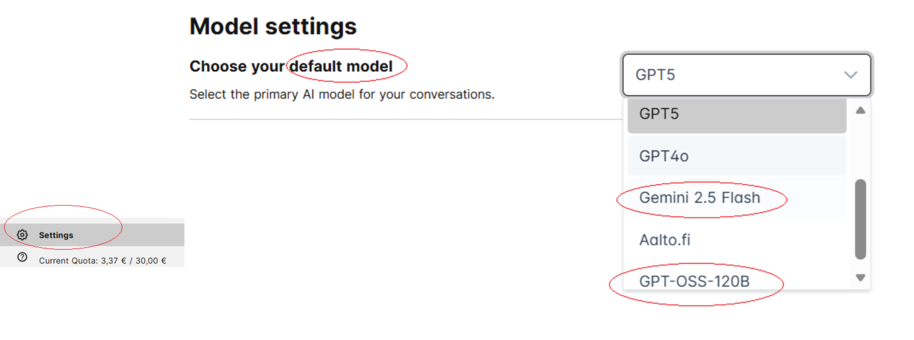
You can now choose your own default LM
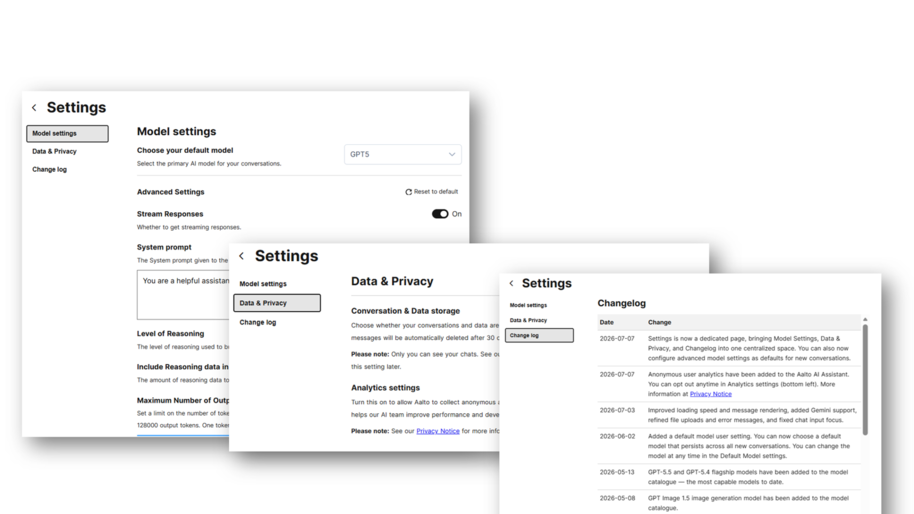
A setting has been added so you can choose a default language model (LM). It persists across all new conversations, and you can change it at any time in the default model setting.
Dedicated Settings page
The Settings page is a one-stop shop for getting all your options set up in a single place. It includes:
- Model settings
- Data & Privacy, and
- Changelog
You can also configure the advanced settings to choose a new default language model for new conversations.
Anonymous user analytics
Anonymous user analytics have been added to Aalto AI Assistant. You can opt out anytime in the Analytics settings (bottom left). More information is available in the Privacy Notice.

Aalto AI Assistant is now faster – Improvements in performance and usability
Faster loading and message rendering, refinements in file-uploading and error messages, and a fix for chat-input focus issues.
Translation and vocabulary features coming up
Document translation tool
Multilingual work and translation require several tools. We started with the function most of us rely on: the translation of PDF, PowerPoint, Word and other document files. Aalto AI Assistant will make this available in September.
Please note the following timeline:
- Phase 1: you will be able to translate documents using only a GPT-based model, without a special vocabulary.
- Phase 2: you will be able to upload your own vocabulary file. We’ll help you create one, including topic-specific versions.
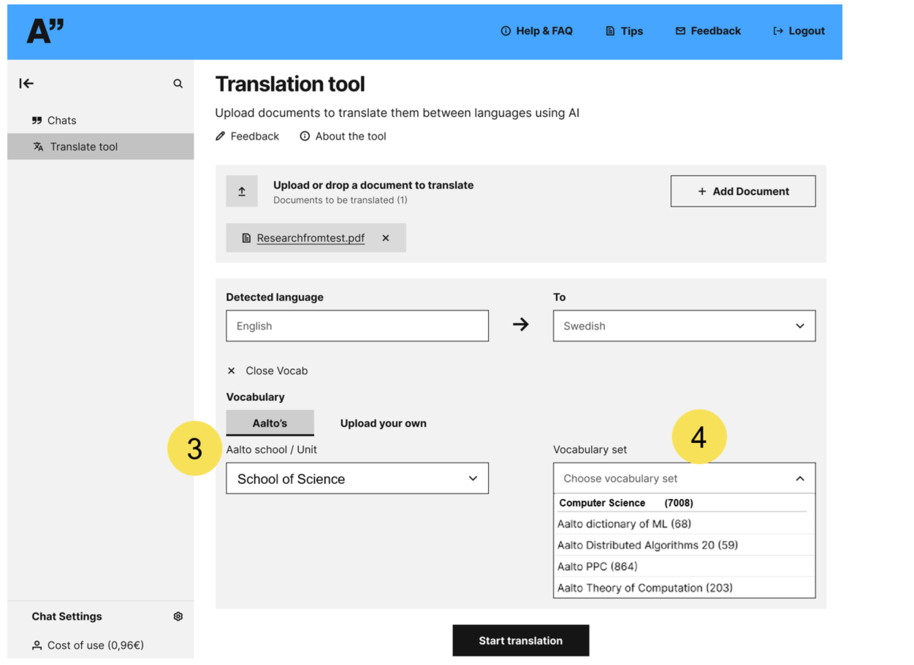
- Phase 3: In late 2026 or early 2027, you will be able to choose a vocabulary from a School > Topic–based dropdown list.
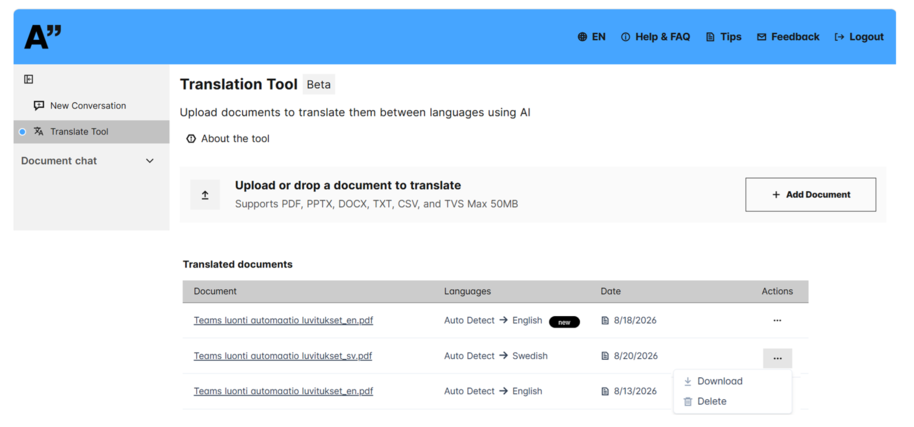
The first version (above) will be published without the vocabulary option.
Below is a draft view of the upcoming versions.
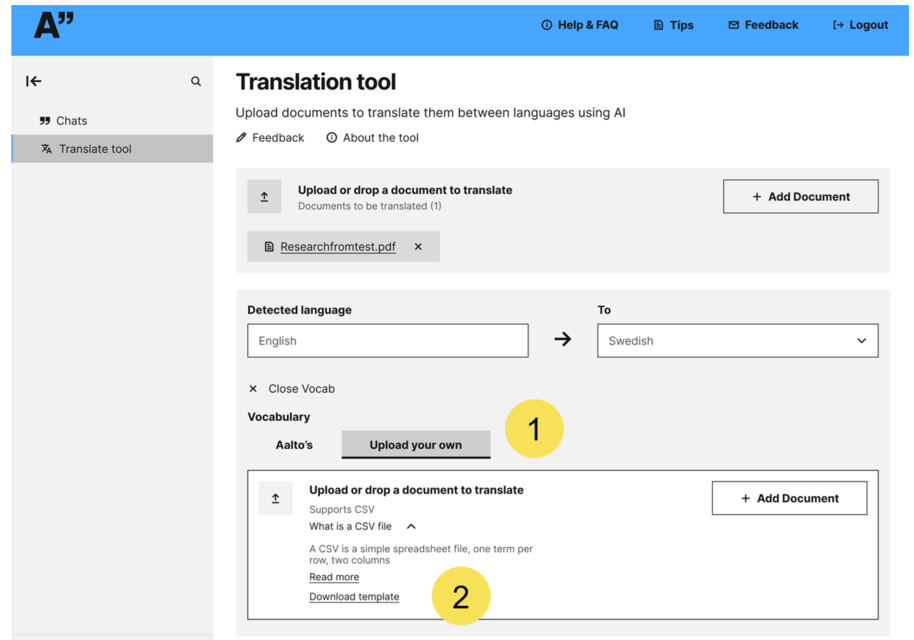
Above: In the second phase, users can upload their own vocabulary files.
- Features the ability to file transfer by just clicking the Upload your own button under Vocabulary.
- The idea behind the vocabulary option and the requirements for use will be elaborated.
Below: In the third phase, the user can choose the most relevant vocabulary from a school or unit-based dropdown list. - Aalto’s vocabularies tab offers a listing by schools and by support unit.
- There is also a dropdown list of existing vocabularies: first by department, then by course or topic.
Read more news

Explore the library’s themed collections
A new service in Aalto-Primo
FITech Network University's report: Future energy-sector professionals need new competencies alongside technical expertise
The FITech network, coordinated by Aalto University, produced a report on the skills needs in the electrical and energy sectors and on the development needs of education.
Earn points through exercise – Join UniSport’s Mount Everest challenge
UniSport's HeiaHeia wellbeing app inspires everyday wellbeing actions.