






PIN code user guide

When moving around the campus, you must always enter the PIN code on the outer door reader. First, place your access token against the reader, and then you can enter the PIN code.
Everyone with an access token also has a PIN code. The PIN code is provided when registering the access token. If you have forgotten your PIN code, you can enter a new self-chosen PIN code at the following address idm.aalto.fi (instructions below, starting from step 1).
When using your PIN code, please take the following factors into account:
- The PIN code must be four digits long and not too simple; combinations like 0000 or 1234 are not allowed.
- If you enter the wrong PIN code five times, your access token will be deactivated. Please contact kulkukortit(at)aalto.fi.
- If you have forgotten your PIN code, you can set a new one at idm.aalto.fi.
- When the PIN code is reset, it may take 15 minutes to 2 hours for it to be activated. The PIN code will not work immediately after the reset.
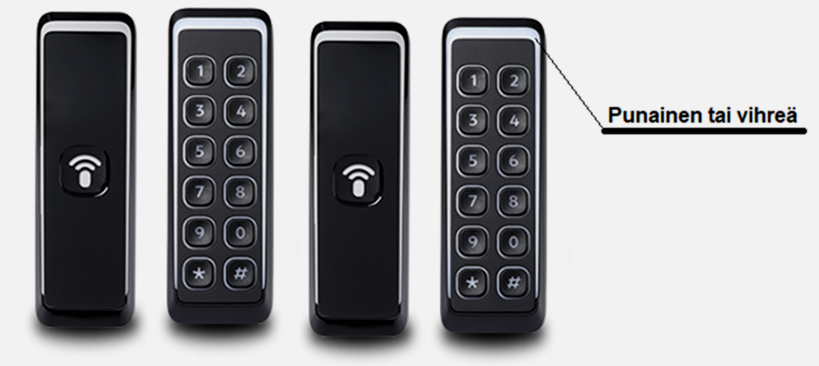
The white frame on the reader device in the picture is an indicator light, which is red when the door is closed and green when the door is open. First, present your access token to the reader and then enter your PIN code. When the indicator light turns green, you can open the door and enter the building.
1. Sign in idm.aalto.fi with Aalto University login details.
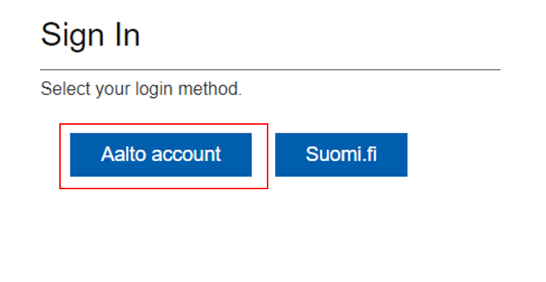
2. Select Aalto account.
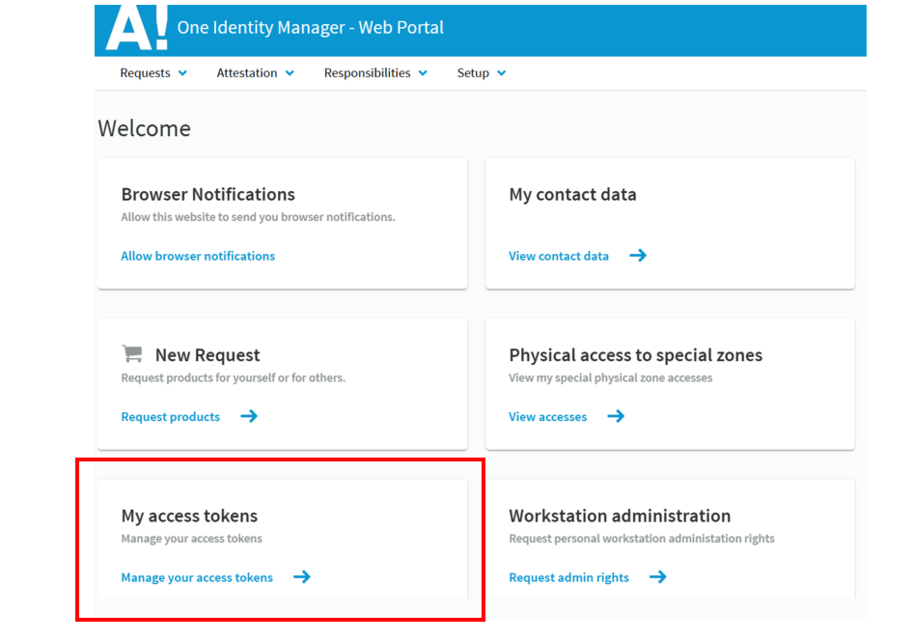
3. Select My access tokens.
4. Select PIN code.
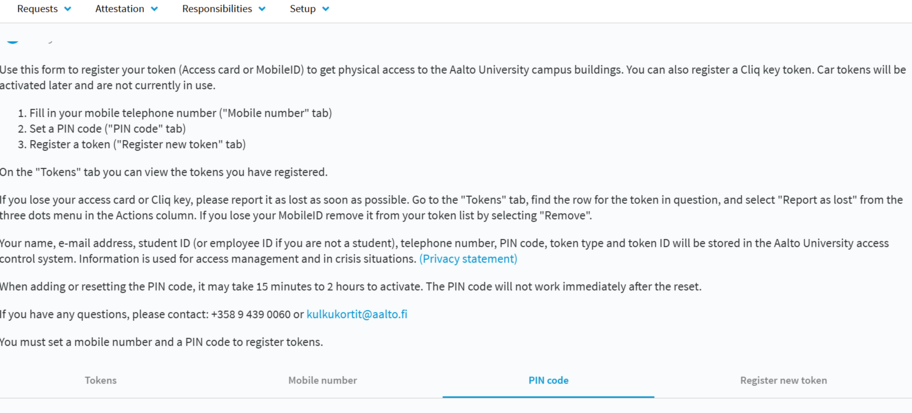
5. Enter your chosen PIN code and click Save.
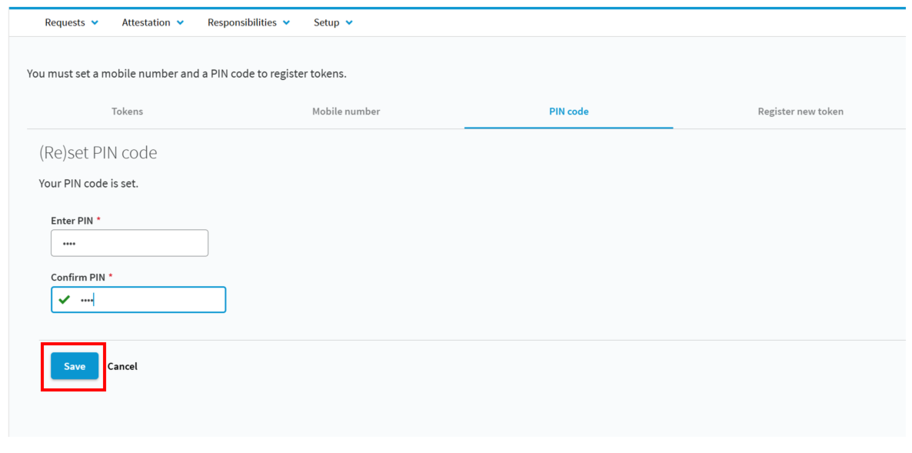
6. Now the PIN code has been reset.